;; nxdns.sh
A DNS sinkhole for your LAN
It blocks the names you do not want, and forwards the rest over an encrypted connection.
;; ANSWER SECTION
Every answer, with its reason
The admin UI records which rule, list or upstream decided each query, and keeps that record after the rule changes.
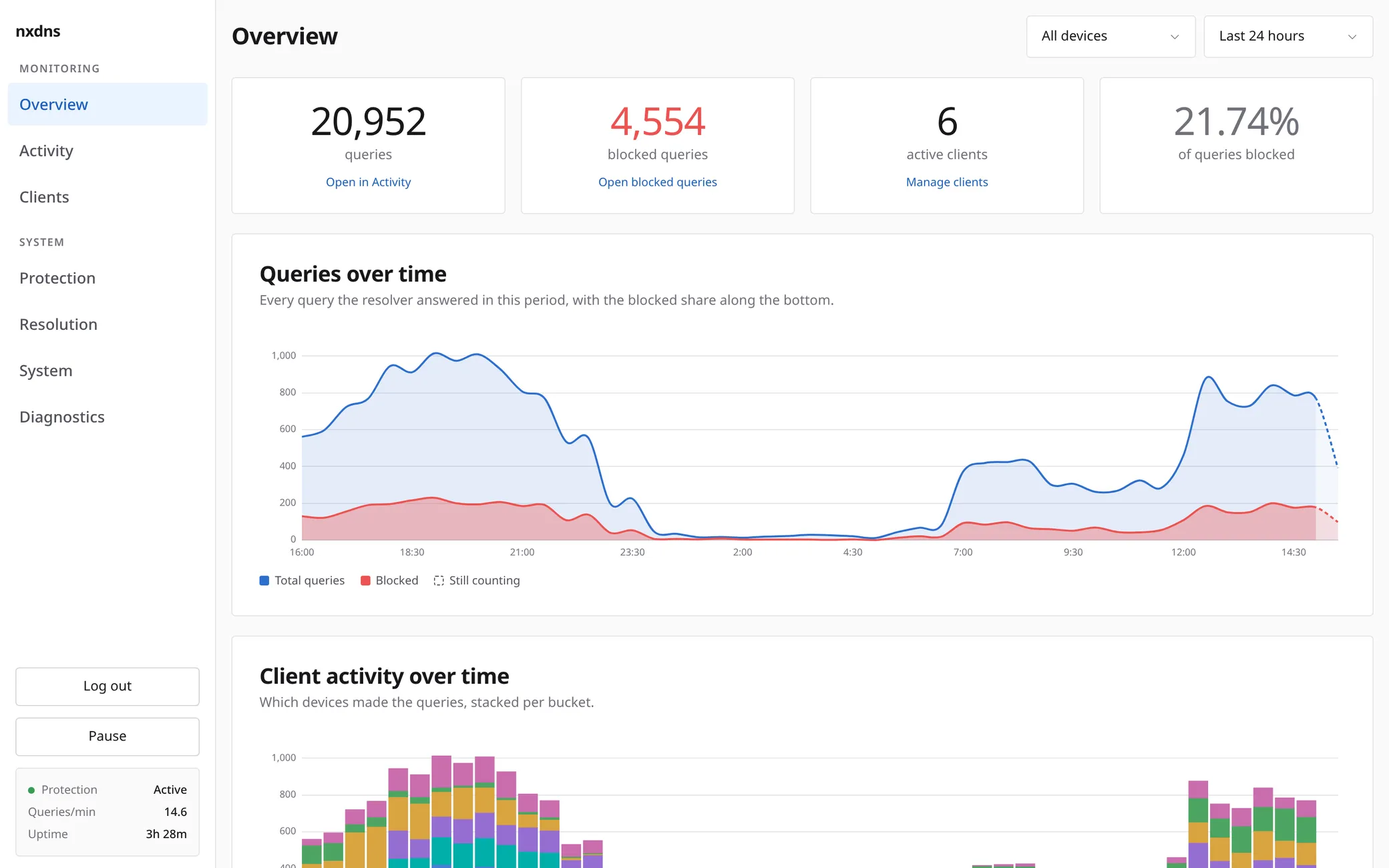
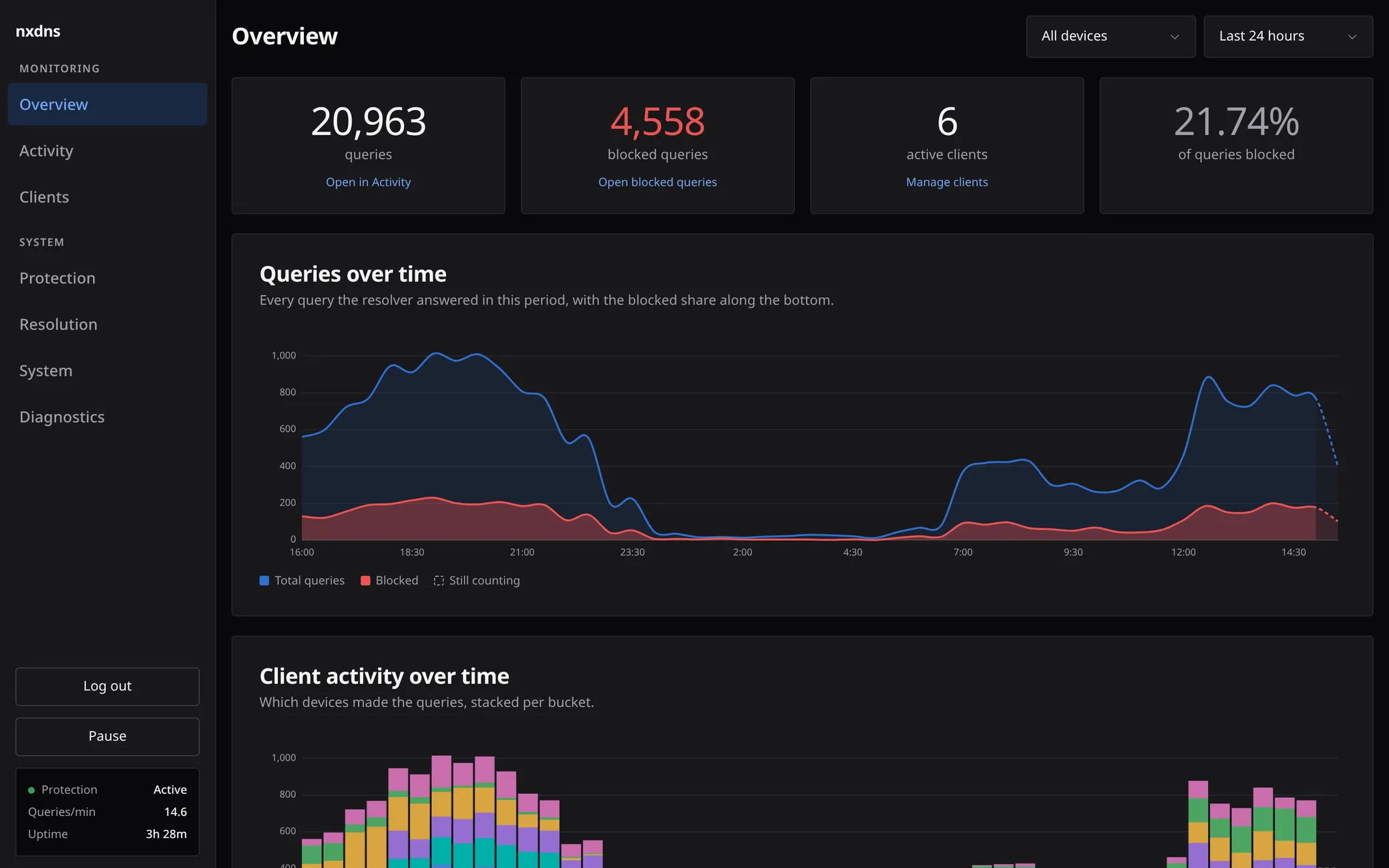
Overview: a day of queries, the blocked share, and which device made them.
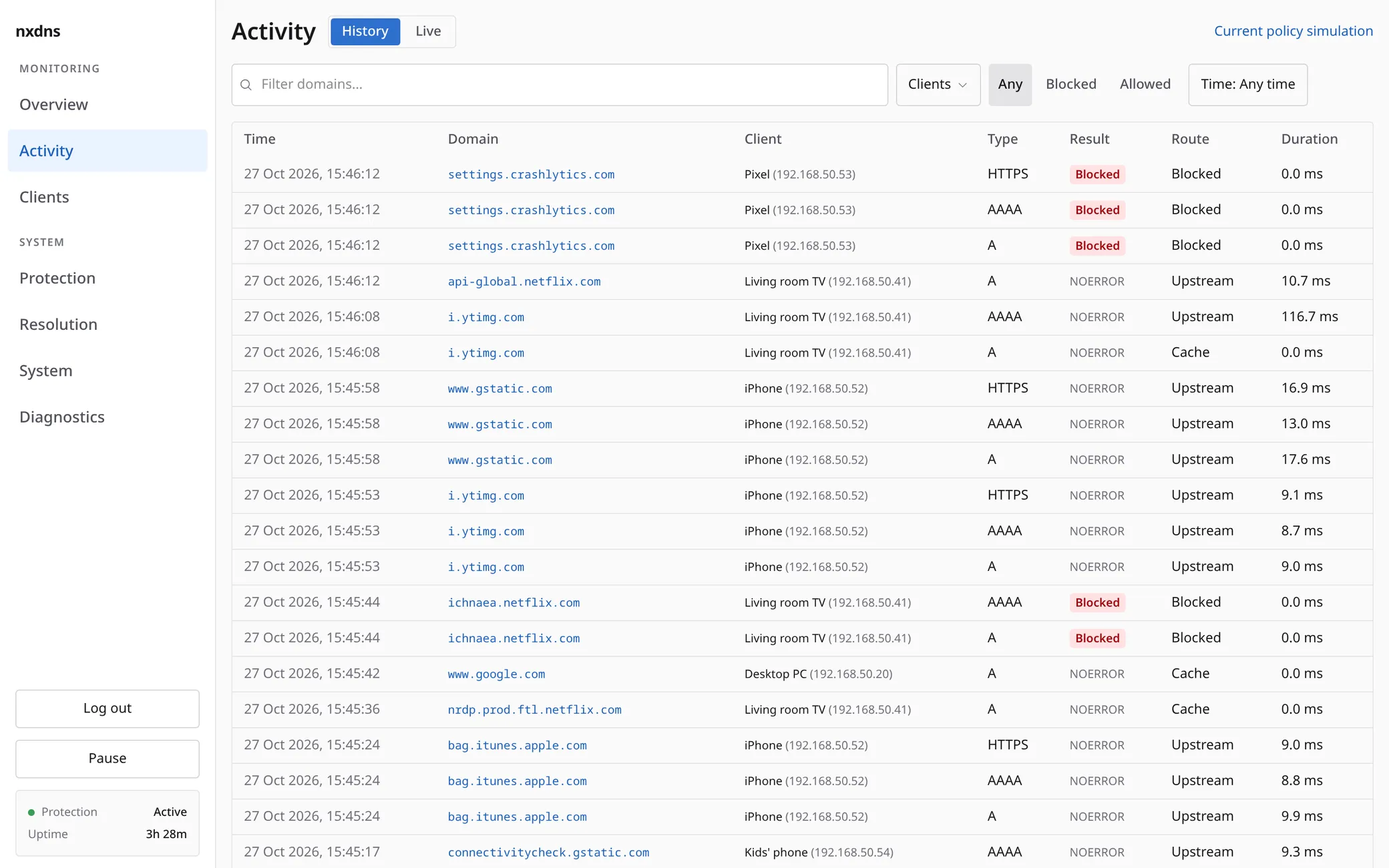
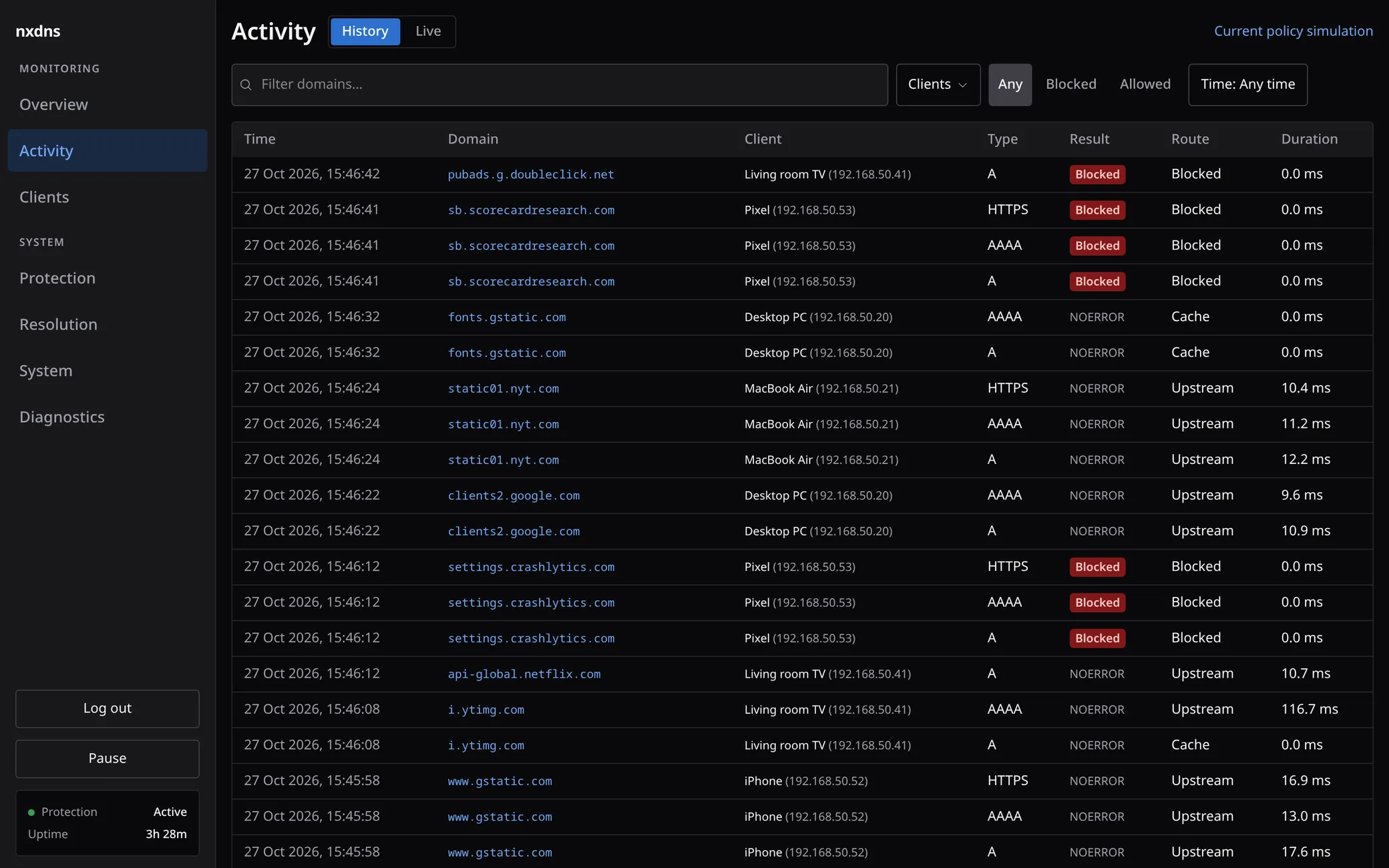
Activity: every query with its client, result and route.
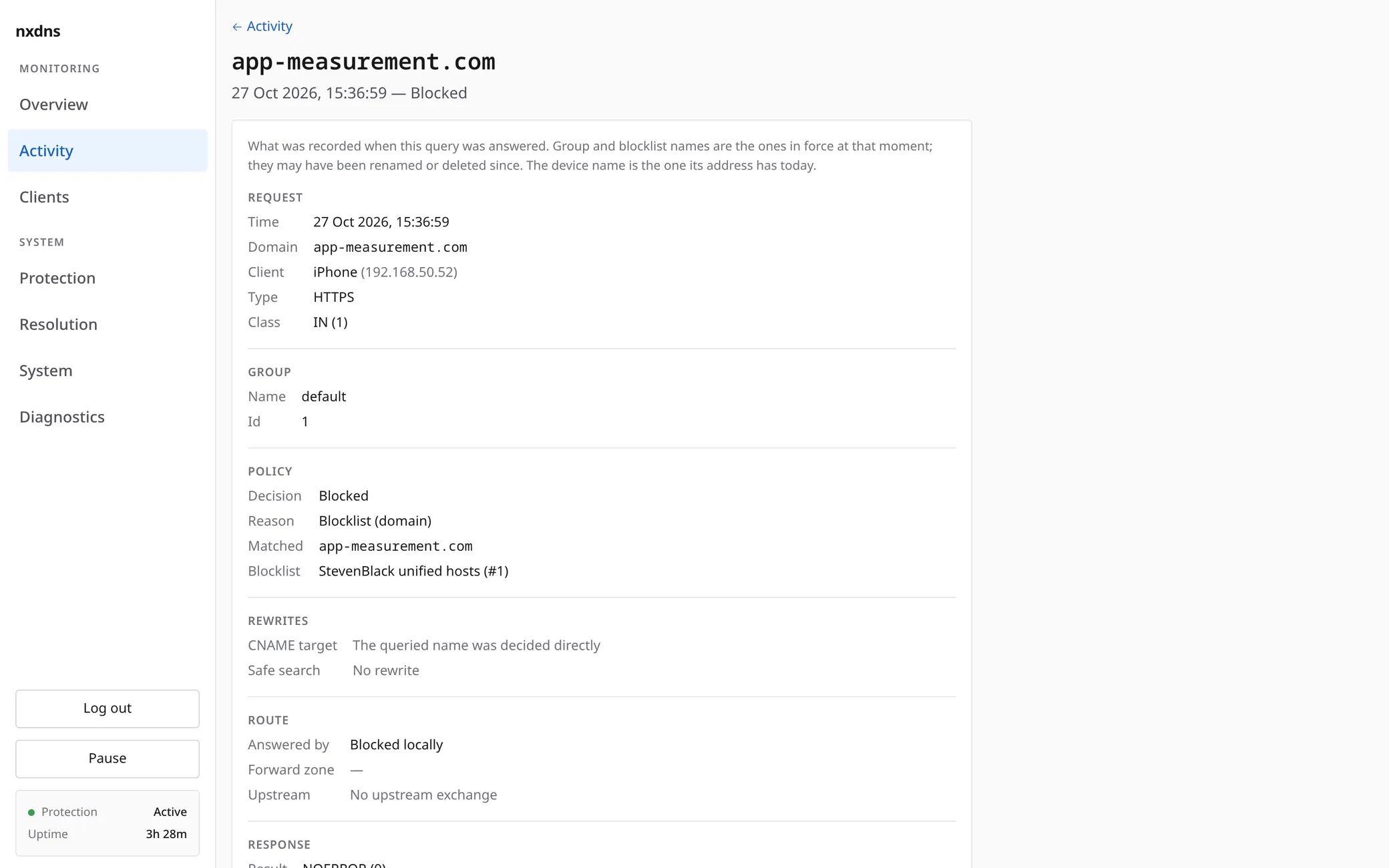
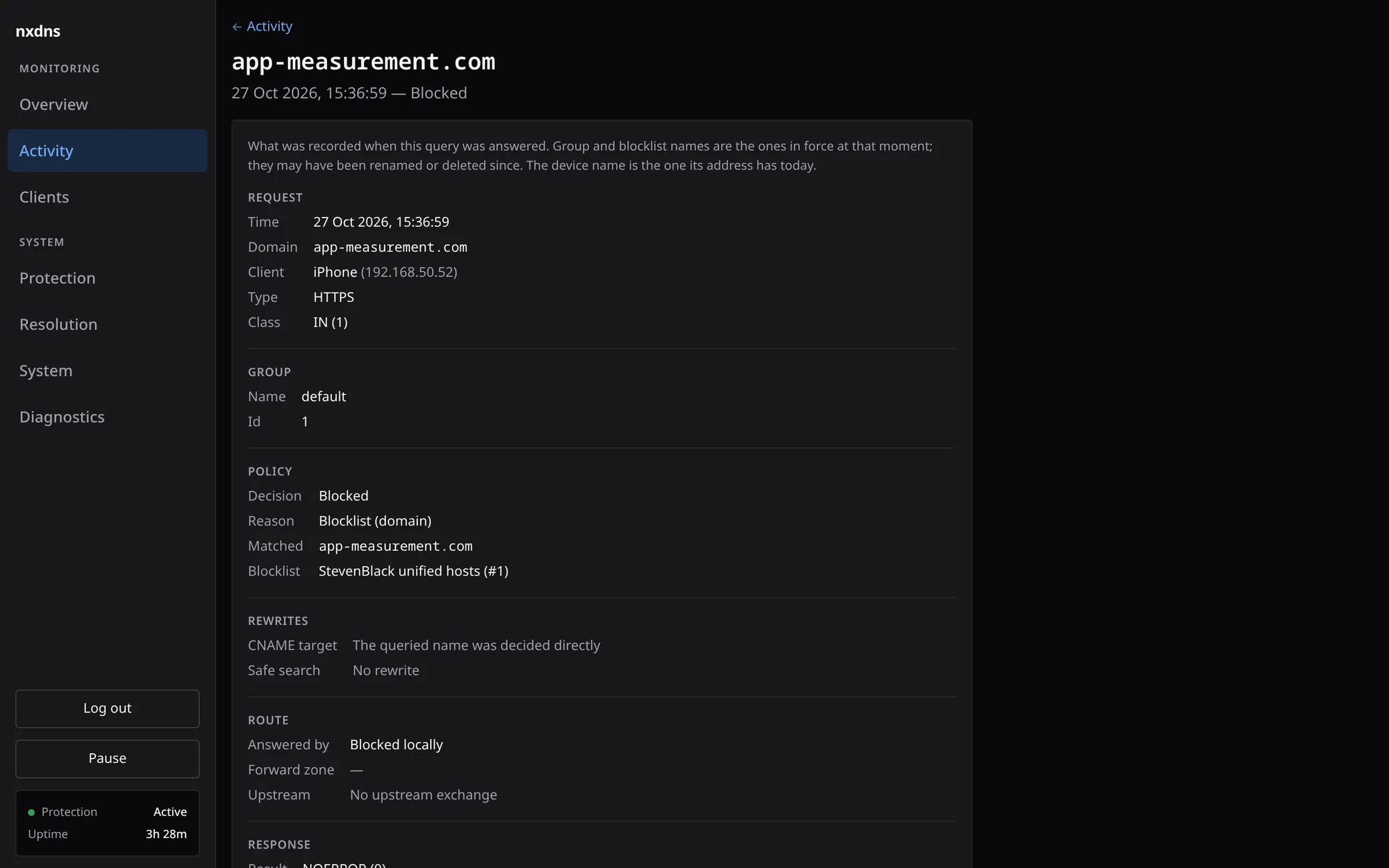
Query detail: the group, rule, list and upstream that decided one answer, as recorded at that moment.
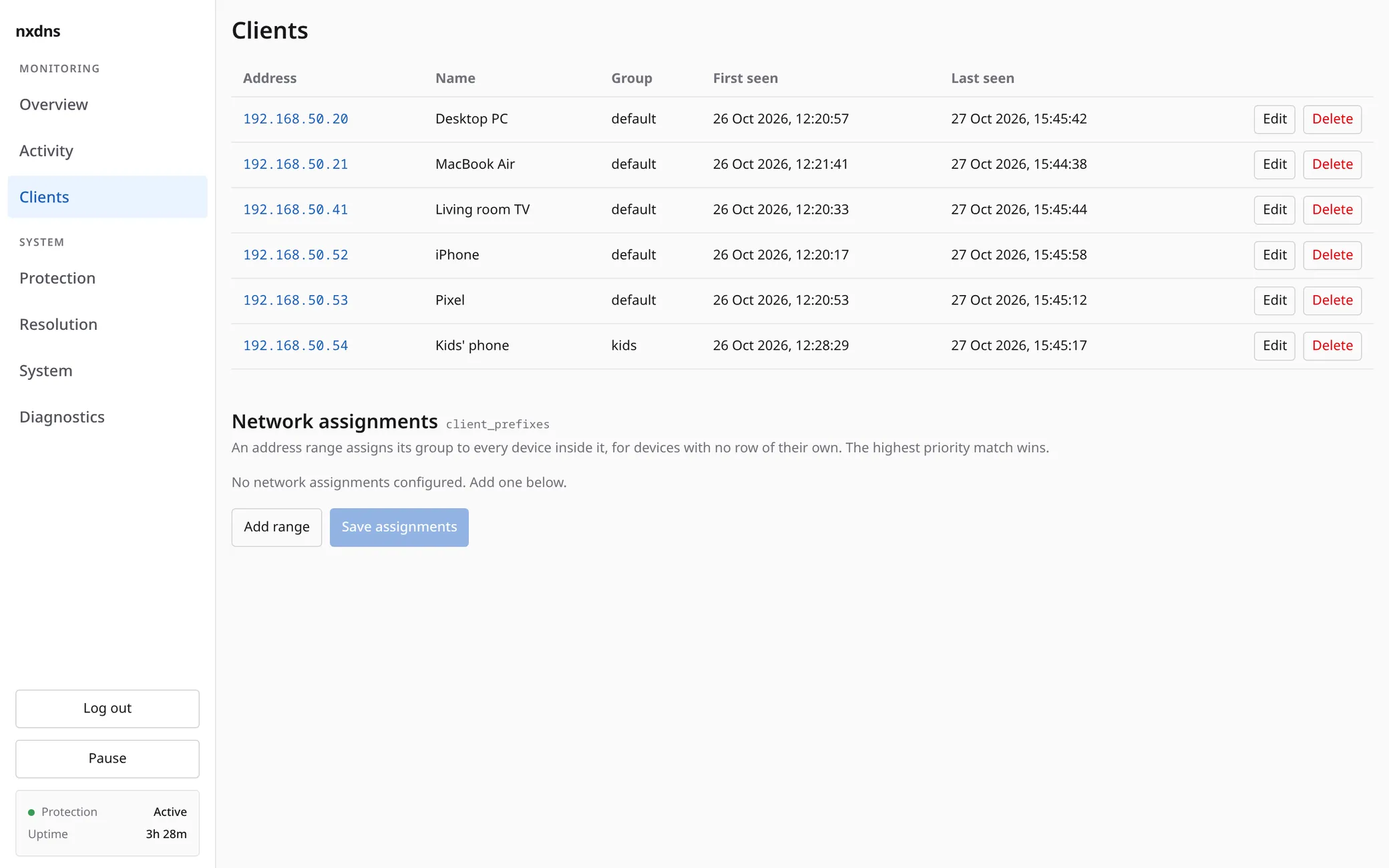
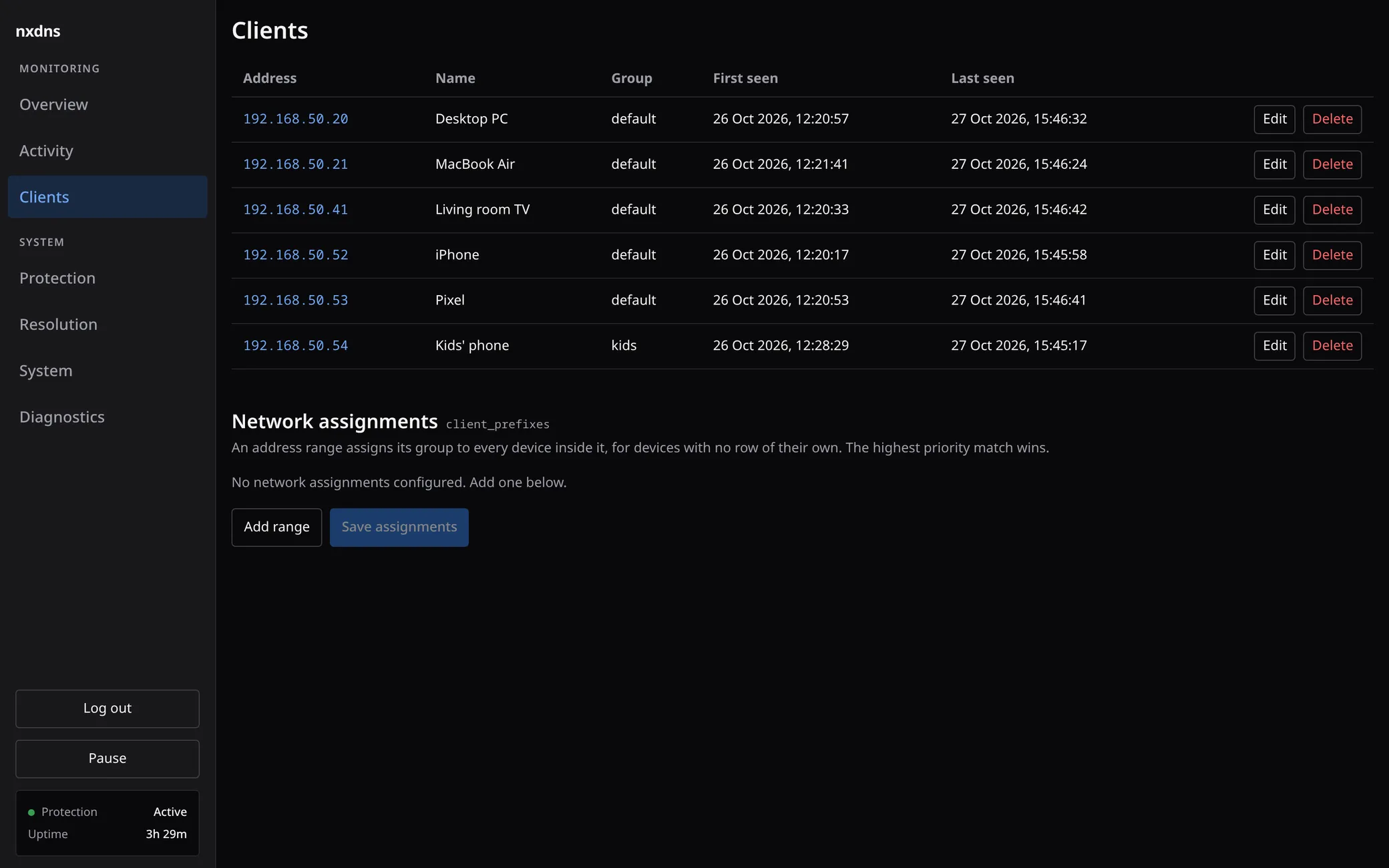
Clients: each device, its group, and what it asked for.
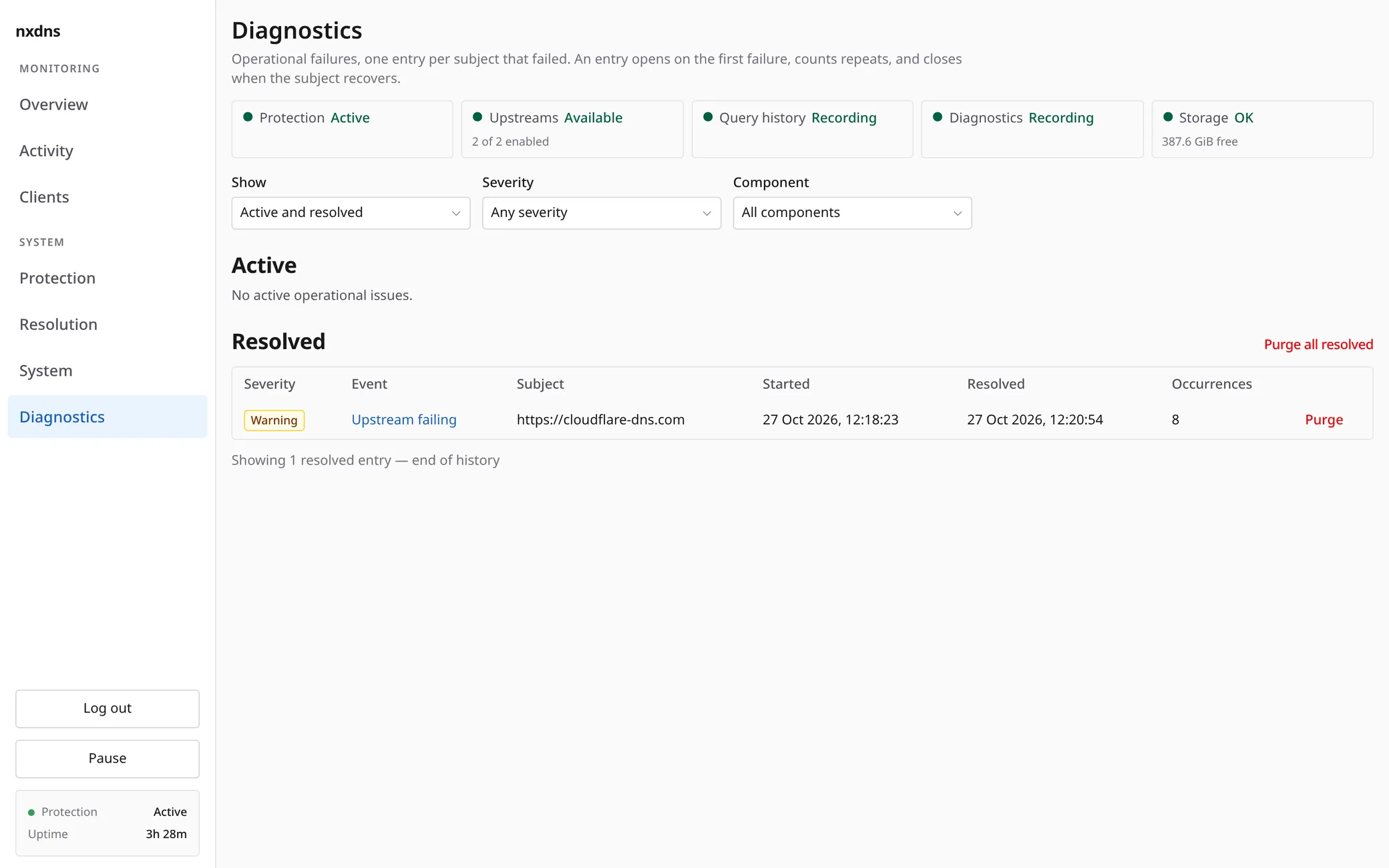
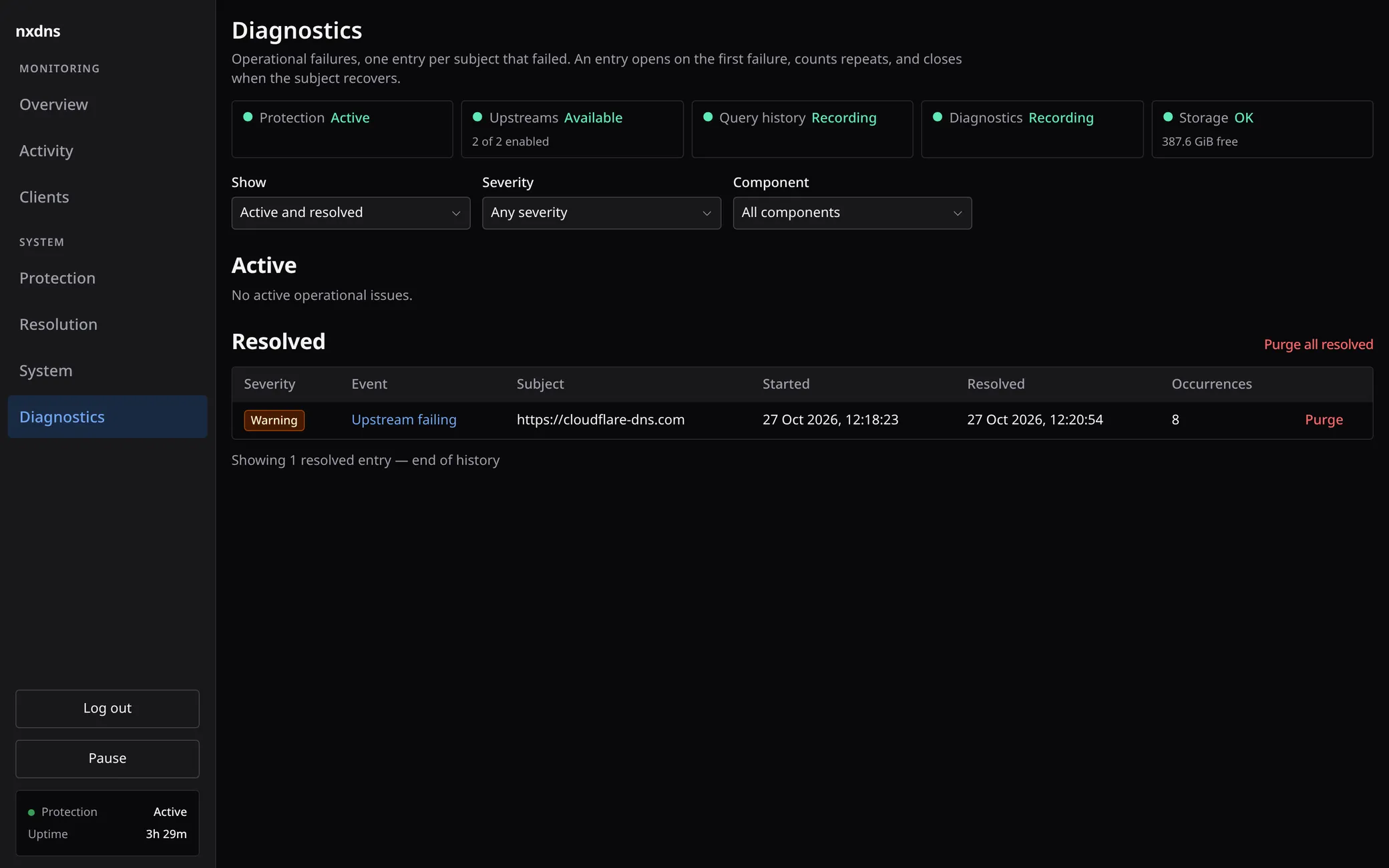
Diagnostics: upstream faults open an episode and close it when the upstream recovers.
;; VERIFY
Check what you run
Every release is signed, and the tarballs rebuild to the same bytes. CI rebuilds them before upload and stops the release if one byte differs.
$ gpg --verify SHA256SUMS.txt.asc SHA256SUMS.txt
gpg: Good signature from "Mokhtar Mial (pc) <…>"
Primary key fingerprint: A206 1F6A B24D F2C0 E923  46FD 1509 B549 46D0 8A95
$ sha256sum -c --ignore-missing SHA256SUMS.txt
nxdns-0.0.28-x86_64-linux-musl.tar.gz: OK
;; FEATURES
Small on purpose
Built for one household and the devices in it, on a Raspberry Pi or any Linux machine.
Filtering
Hosts files, plain domain lists and Adblock Plus lists, plus your own allow and block rules. Each answer records the rule that decided it.
Config as code
Point
--configat one ZON file in git. nxdns converges onto it at every start, and the admin UI refuses edits that would drift from it.DoH and DoT
Forwards over HTTPS or TLS with failover between upstreams, and serves DoH and DoT to your own devices.
Per-client groups
Give the kids’ phone its own lists and safe search. Every other device keeps the default.
Metrics
Prometheus metrics at
/metricsfor queries, the cache and each upstream.Query log
Searchable history in SQLite, pruned after 30 days by default, so the disk use stays bounded.
;; COMPARISON
How it compares
To help you choose. nxdns has no DHCP server and does not validate DNSSEC; if you need either, pick a tool that does.
| nxdns0.0.28 | Pi-hole6.5 (FTL 6.8) | AdGuard Home0.107.79 | Technitium15.6.2 | |
|---|---|---|---|---|
| How it ships | Static binary with the web interface included; archive, Docker or Nix | Server with separate web files and command-line tools; installer or Docker | Binary with the web interface included; installer, archive, Docker or Snap | Needs the ASP.NET Core runtime; installer, archive or Docker |
| Resource use on small machines | Limits simultaneous queries and cache size; threads can grow, and list updates keep old and new lists in memory | Blocklists stay in a database file; the system can reclaim memory used to read it, and updates run separately | Limits simultaneous queries; list updates build new filters in memory while the old ones remain active | Uses .NET; tuned to add threads readily when busy |
| Config as a file in git, applied at every start | Yes--config | PartialSettings in pihole.toml, which can be locked read-only; lists and rules are in a database | PartialA running instance overwrites the YAML file | NoA binary file that the app writes |
| Encrypted upstreams, built in | YesDoH, DoT | NoNeeds separate software, such as dnscrypt-proxy | YesDoH, DoT, DoQ, DNSCrypt | YesDoH, DoT, DoQ |
| DoH and DoT for your devices | Yes | No | YesAlso DoQ, DNSCrypt | YesAlso DoQ |
| Signed, reproducible releases | YesBoth | NoChecksums only | PartialSigned, with a published key; reproducibility not documented | NoChecksums only |
| DHCP server | No | Yes | YesNot on Windows | Yes |
| DNSSEC validation | No | YesOff by default | No | Yes |
checked 2026-10-30 against the versions named in each column
;; INSTALL
Run it on your network
Pick one way to run it. Each runs the same signed release, and the Docker image pulls without an account.
mkdir -p ~/nxdns/etc-nxdns && cd ~/nxdns
curl -O https://git.mial.net/mokhtar/nxdns/raw/tag/v0.0.28/deploy/docker/compose.yaml
cat > etc-nxdns/config.zon <<'EOF'
.{
    .groups = .{ .{ .name = "default" } },
    .upstreams = .{ .{ .url = "https://cloudflare-dns.com/dns-query" } },
    .web = .{ .password = "choose-a-real-password" },
}
EOF
docker compose up -d
Then point your router’s DNS at this machine. The admin UI is on port 8080.Install with Docker
curl https://keys.openpgp.org/vks/v1/by-fingerprint/A2061F6AB24DF2C0E92346FD1509B54946D08A95 | gpg --import
curl -O https://git.mial.net/mokhtar/nxdns/releases/download/v0.0.28/nxdns-0.0.28-x86_64-linux-musl.tar.gz
curl -O https://git.mial.net/mokhtar/nxdns/releases/download/v0.0.28/SHA256SUMS.txt
curl -O https://git.mial.net/mokhtar/nxdns/releases/download/v0.0.28/SHA256SUMS.txt.asc
gpg --verify SHA256SUMS.txt.asc SHA256SUMS.txt
sha256sum --check --ignore-missing SHA256SUMS.txt
tar -xzf nxdns-0.0.28-x86_64-linux-musl.tar.gz
Then install the binary and the systemd unit from the extracted directory, and write the config.Install with systemd
# flake.nix
inputs.nxdns = {
  url = "git+https://git.mial.net/mokhtar/nxdns.git?ref=refs/tags/v0.0.28";
  inputs.nixpkgs.follows = "nixpkgs";
};

# configuration.nix
{ inputs, ... }:
{
  imports = [ inputs.nxdns.nixosModules.default ];
  services.nxdns = {
    enable = true;
    configFile = ./nxdns-config.zon;
    openFirewall = true;
  };
}
Then point your router’s DNS at this machine. The guide shows what goes in the config file.Install with Nix